Guide
Top 10 Features Every Stock Scanner Should Have
11 min read · Updated 2 Nov 2026
A stock scanner is the difference between staring at 1,800 charts and finding the five that match your setup. But not every scanner is built for serious traders - most of them are checkbox features bundled with a broker app, designed to look useful rather than be useful.
Here's a checklist of ten features a real stock scanner should ship with in 2026. Walk through it against whatever scanner you're using. If yours misses three or more, you're trading half-blind.
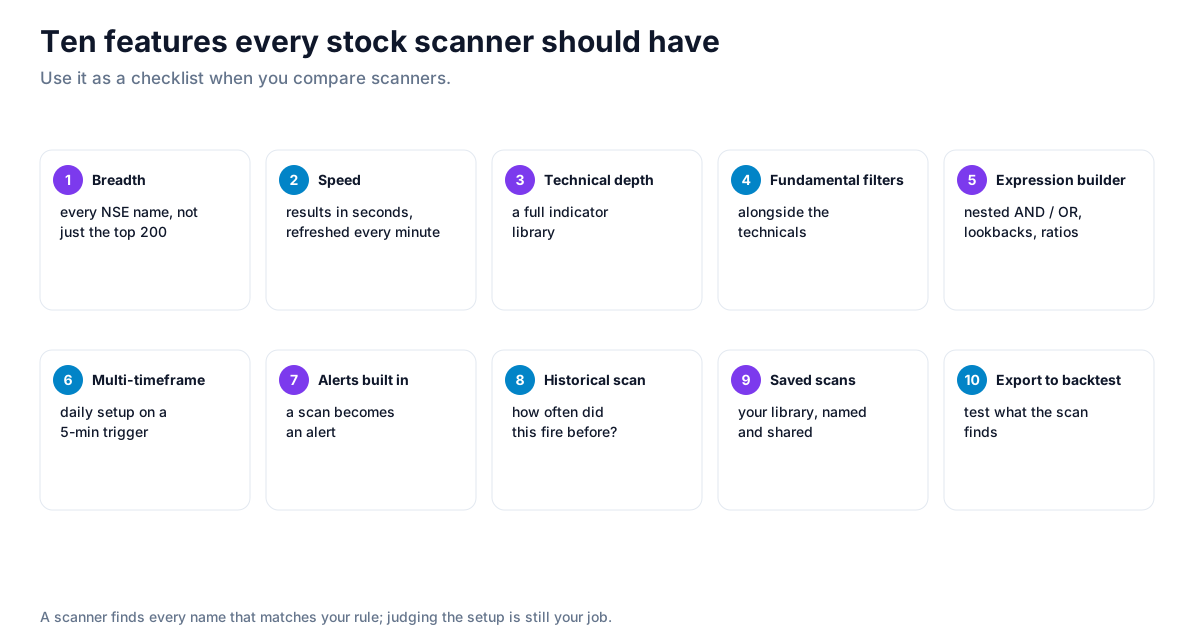
1. Breadth - every NSE-listed name, not just the top 200
A scanner that only watches Nifty 500 stocks is a Nifty 500 scanner. The whole point of scanning is to find opportunities you'd otherwise miss - which means coverage of the full NSE universe (~1,800 listed names), plus indices, plus F&O.
Unfluke's scanner covers the full NSE universe by default, with segment filters to narrow to indices, F&O, or specific sectors when you want focus.
2. Speed - results in seconds, refreshed every minute
By the time a scanner returns results 30 seconds late, the move is done. Real scanners run every minute and return results in single-digit seconds. If your scanner ever shows you a stale timestamp, replace it.
3. Depth of technical indicators
RSI and Moving Averages are table stakes. A serious scanner has the full suite: MACD, Bollinger Bands, supertrend, ATR, VWAP, stochastic, Hull MA, plus 30+ more - and lets you combine them. Unfluke ships with 40+ indicators and LTP-comparison operators out of the box.
The differentiator isn't just having indicators - it's letting you build expressions like "RSI(14) > 60 AND close > EMA(50) AND volume > 1.5 × avg_volume(20)" without leaving the dropdown UI.
4. Fundamental filters alongside technicals
Most scanners are technicals-only. But the best trades often need both: a clean technical setup on a fundamentally sound stock. A scanner that lets you stack "P/E < 25 AND ROE > 20% AND RSI(14) crosses above 60" is far more powerful than two separate tools. Unfluke's fundamental scanner adds P/E, P/B, ROE, ROCE, market cap, debt-to-equity, and dividend yield filters on top of the technical engine.
5. Expression builder - not just dropdowns
Dropdowns are great for the first 90% of setups. For the last 10%, you need an expression builder where you can write or construct compound logic - nested AND/OR, comparison across timeframes, lookback references like "high of last 5 days".
A scanner without an expression builder is a scanner with a ceiling.
6. Multi-timeframe - daily setup on a 5-min trigger
Real setups live across timeframes. "RSI(14) > 60 on daily AND close > VWAP on 5-min" is a typical intraday trader setup. If your scanner only works on one timeframe at a time, you can't express this. The better scanners (Unfluke included) let you reference multiple timeframes in a single rule.
7. Native alerts integration
A scan that doesn't alert you is just a database query. The scanner should be able to fire an alert (email, Telegram, in-app) the moment a stock matches your criteria. Unfluke wires scanner → alerts natively, with quota tiers based on plan. See our Alerts overview.
8. Historical scan - "how often did this fire?"
Before you commit to a scan, you want to know: how many stocks does this typically match per day? Is it firing 100 times or 3? A scanner with a historical scan feature (backtest the scan itself) answers that. Unfluke supports historical scans on tier-gated depth.
9. Saved scans and sharing
You'll build a dozen scans you actually use. Saving them, organising them, and sharing them with collaborators or community shouldn't be an afterthought. If your scanner forgets your setup every time you log out, it's not built for serious use.
10. Export to backtest
The endgame of scanning is to turn a pattern into a tradeable rule. A scanner that exports its logic into a backtest, so you can ask "if I'd bought every stock that matched this scan since 2020, what would my P&L look like?", is doing real work. Standalone scanners that can't backtest are 80% solutions.
Unfluke connects scanner and backtester natively - any saved scan can become the entry condition for a backtest.
What most scanners get wrong
The pattern is consistent: scanners marketed by brokers are optimised for engagement (you scan → you trade → they make brokerage). Independent scanners are optimised for accuracy and depth. If your scanner only shows you ideas that conveniently lead to "Buy" buttons in the broker app, ask why.
Strategy ideas (ideas, not promises)
These are ideas to study, paper-trade and backtest, not recommendations or signals, and not a promise of any result. A good scanner saves time; it does not make a setup profitable. Size, entries, exits and risk are your own decisions.
1. Run the ten-feature check yourself
- Setup: take one rule you use and try to build it in each scanner you are comparing.
- Reading: if you need workarounds for multi-timeframe logic or lookbacks, the scanner will slow you down.
2. Check breadth with a known stock
- Setup: pick a smaller listed company that matches your rule today and see if the scanner finds it.
- Reading: a scanner limited to the largest names will miss it.
3. Ask how often the scan fired before
- Setup: backtest the scan's rule, or export its past matches.
- Use: a scan with a track record is worth an alert; one without is just a list.
How to test these
Build your rule in Unfluke's scanner, save it, and backtest the same rule to see how its matches behaved.
Honest caveats
A scanner is a research tool, not a signal generator. Every stock it returns is a candidate for further work - chart inspection, fundamental check, position sizing. Trading every scanner hit is the fastest way to learn this lesson the expensive way.
Try Unfluke's scanner free
All ten features above ship on Unfluke. Free tier gives you full access; paid tiers add more history and raise quotas. Sign up and run your first scan in under a minute. Or read the full Scanner overview.
More from the blog
- Strategy Backtesting on Unfluke
Backtest trading strategies on real Indian market data with Unfluke. Test equity, Nifty, Bank Nifty and options strategies with realistic costs and key metrics.
- Live Market Scanners
Explore Unfluke's real-time stock scanner for NSE markets. Scan 1,800+ stocks with 40+ technical indicators, fundamental filters, F&O data and custom rules.
- Option Strategy Simulator
Build and simulate multi-leg options strategies with Unfluke. Visualize payoffs, Greeks, max profit and loss, and replay historical option data from 2023.